Crimson and Cyan Obstacle Dash

Crimson and Cyan Obstacle Dash

Developer: Moss Reign Digital
Updated: 2026-07-21
Leaping Children Speed

Reviews

Crimson and Cyan Obstacle Dash succeeds by keeping things simple. The single-tap jump control is instantly accessible, and the two-player mode adds a social layer that many endless runners lack. The gradual speed increase provides a fair challenge without feeling unfair. The minimal visuals help maintain focus. It is a solid choice for families or anyone wanting a quick, competitive game.

About this game

Core Gameplay Loop

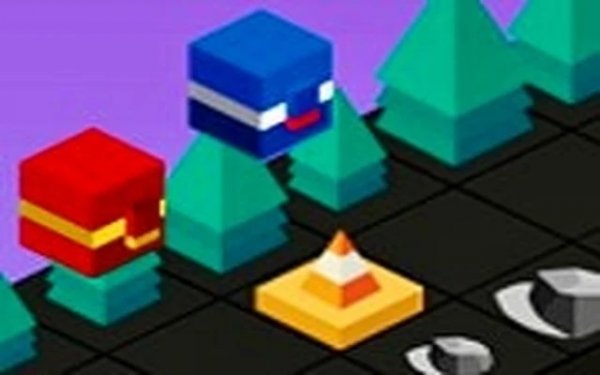
In Crimson and Cyan Obstacle Dash, the action centers on guiding a colored cube down an infinite corridor. The path is filled with barriers that appear without warning. Players must tap or press a key to make their cube leap over these obstacles. The run continues until a collision ends the attempt. Each new try offers a fresh sequence of barriers, keeping the experience unpredictable.

Competition Between Two Colors

A distinctive feature is the option to play with a partner. One person controls the red cube, the other the blue cube. They take turns attempting the same course. The goal is simple: cover more ground than the other player. This setup turns a solo activity into a shared challenge, perfect for short bursts of friendly rivalry.

Control Scheme and Accessibility

The game relies on a single action: jumping. On mobile devices, a tap on the screen makes the cube hop. On a computer, the W key or the up arrow does the same. There are no complex combos or menus to navigate. This straightforward input means even young children or those new to gaming can start immediately without a tutorial.

Progression of Difficulty

As the cube travels further, the pace gradually picks up. Obstacles appear more frequently and with less time to react. This natural escalation tests a player's ability to stay calm under pressure. The early moments feel relaxed, but maintaining a long run demands quick decision-making. This curve keeps the game engaging for repeated plays.

Visual and Audio Style

The presentation is minimal and clear. The two cube characters stand out against a simple background, making obstacles easy to spot. The audio provides subtle cues for jumps and collisions. This clean design helps players focus entirely on the path ahead without visual clutter, which is especially helpful during fast-paced sections.

Compatibility

๐Ÿ’ป Desktop | ๐Ÿ“ฑ Mobile | ๐Ÿ“Ÿ Tablet
โ€“ All supported ยท Best with Chrome or Safari

Faq

Can I play Crimson and Cyan Obstacle Dash on a tablet?
Yes, the game is designed for touch-screen devices. Tapping on the screen makes the cube jump. The responsive controls work well on both phones and tablets, providing a smooth experience on larger displays as well.
Is there a way to track my best distance in Crimson and Cyan Obstacle Dash?
The game typically records the highest distance achieved during a session. This allows you to see your personal record and try to beat it. Some versions may also save the best score between sessions, though this can vary by platform.
Does the game require an internet connection to play?
No, Crimson and Cyan Obstacle Dash is a single-player or local two-player game. It does not need an internet connection to run. You can enjoy it offline, making it a good choice for travel or areas with limited connectivity.
How long does a typical game session last?
Each run can be very short, often lasting only a few seconds if you hit an obstacle early. However, skilled players can extend a single run for several minutes. The game is designed for quick sessions, so you can play for a minute or an hour.
Are there any in-app purchases in Crimson and Cyan Obstacle Dash?
The base game is typically free to play with no required purchases. Some versions may offer optional cosmetic items or the ability to remove ads, but the core gameplay experience is fully accessible without spending money.
Can I change the color of my cube character?
The game features two preset cube colors: red and blue. These correspond to the two players in the competitive mode. There is usually no option to customize the cube's appearance further, as the focus remains on the simple gameplay.

Comments

0 comments
U
User
Loading comments...