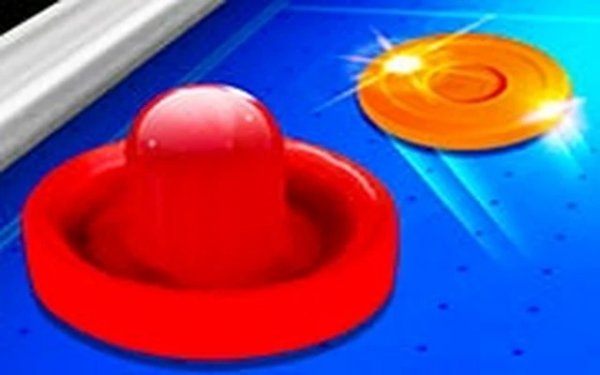
Tabletop Puck Battle

Tabletop Puck Battle

Developer: Order Wanderer Games
Updated: 2026-07-21
Single Player Sports Arcade

Reviews

Tabletop Puck Battle delivers exactly what it promises: a straightforward, physics-based puck duel that is easy to pick up but offers enough nuance for repeated play. The controls feel tight on both mouse and touch, and the AI provides a respectable challenge without being unfair. The lack of ads or paywalls is a welcome bonus. For a quick, no-fuss sports arcade experience, this game hits the mark.

About this game

Core Match Mechanics

Tabletop Puck Battle recreates the feel of a physical tabletop hockey game in a digital format. Players control a paddle on their side of the field, attempting to strike a small disc past the opponent's defenses. The game uses a physics system that accurately simulates the disc's speed, angle, and bounce off the walls and paddles. Matches continue until one player reaches the predetermined score, making each round a test of timing and positioning. The controls are designed for quick, precise movements, allowing players to react to fast-changing situations.

Opponent Options

This game offers two primary ways to play. In single-player mode, users face a computer-controlled opponent that adjusts its tactics based on the player's actions. The AI provides a consistent challenge, reacting to shots and attempting to score with varying strategies. For those who prefer human competition, a local two-player mode lets two people share the same device, taking turns on the same screen. This setup is ideal for quick matches between friends or family members without requiring an internet connection.

Visual and Control Design

The graphics in Tabletop Puck Battle are kept clean and straightforward, ensuring the action remains the main focus. The table surface, paddles, and disc are clearly defined against a simple background, making it easy to track the disc's movement even during fast rallies. Controls are responsive across different input methods. On a desktop computer, players use a mouse to slide the paddle left and right. On touch-enabled devices, a finger swipe accomplishes the same motion. This cross-platform compatibility means the game works smoothly on both laptops and smartphones.

Accessibility and Performance

One of the strengths of Tabletop Puck Battle is its ease of access. The game runs entirely within a web browser, requiring no downloads, installations, or account creation. It loads quickly and maintains a steady frame rate on most modern devices, including older hardware. This makes it a convenient option for a short break or a longer play session. The simple rules mean new players can start a match within seconds, while the physics-based gameplay offers enough depth to keep returning players engaged.

Compatibility

✅ This game supports:
- Desktop browsers (Chrome, Edge, Safari)
- Mobile browsers (Chrome on Android, Safari on iOS)
❌ Does NOT support: - Internet Explorer - Very old browser versions
👉 Try refreshing or updating your browser

Faq

Can I play Tabletop Puck Battle on my phone or tablet?
Yes, the game is designed to work on mobile devices through a web browser. Touch controls allow you to slide the paddle with your finger, and the interface adapts to smaller screens. No app store download is needed.
Is there a way to change the difficulty of the computer opponent?
The game does not specify adjustable difficulty levels. The AI opponent provides a standard challenge that reacts to your play style. Players looking for a tougher match may find the local two-player mode offers a more unpredictable experience.
Does Tabletop Puck Battle include any in-game purchases or advertisements?
Based on available information, the game is free to play with no in-app purchases or advertisements. This allows for uninterrupted gameplay sessions without any financial commitment or distracting ads.
How long does a typical match last in Tabletop Puck Battle?
Match length depends on the score limit set by the players. Since each round is fast-paced, a full match can be completed in a few minutes. This makes it suitable for quick breaks or longer sessions if desired.
Can I play Tabletop Puck Battle offline?
The game runs in a web browser, so an internet connection is required to load it initially. Once loaded, the local two-player mode does not need an active internet connection for gameplay, but the single-player mode may still require the page to be open in a browser.
What happens if the disc gets stuck or moves too slowly?
The physics engine simulates realistic movement, so the disc should not get stuck under normal conditions. If the disc slows down, it is usually due to a low-speed hit or collision. The game continues until a goal is scored, and the disc resets after each point.

Comments

0 comments
U
User
Loading comments...