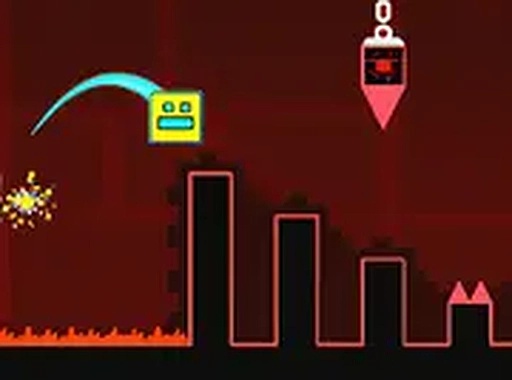
Geometric Pulse Navigation

Geometric Pulse Navigation

Developer: Vivid Pixel Core
Updated: 2026-07-21
Skill Timing Precision

Reviews

Geometric Pulse Navigation offers a refreshing take on timing-based puzzles. The neon aesthetic is not just for show—it helps players track movement across busy screens. Obstacle patterns start simple but combine in clever ways that keep the brain engaged. The game respects your time with fair checkpoints and a difficulty curve that feels natural. Players who enjoy mastering sequences through repetition will find plenty to appreciate here. The lack of time pressure reduces frustration, letting you focus on learning rather than rushing. A solid choice for anyone who likes thoughtful challenges.

About this game

Core Concept & Visual Style

Geometric Pulse Navigation places players in control of a shape-shifting cube that moves through a series of neon-lit corridors. The visual design uses bright colors against dark backgrounds, creating a clean look that helps players track movement. Each level feels like a new puzzle box, with obstacles arranged in patterns that require study before action. The game combines elements of timing challenges and spatial awareness tasks, making it suitable for players who enjoy mental exercises.

Obstacle Patterns & Rhythm

Hazards in the game appear in repeating sequences that players must learn to navigate. Some obstacles move in fixed arcs, while others activate in response to the cube's position. The challenge comes from recognizing these patterns and timing movements accordingly. Early levels introduce simple arrangements, but later stages combine multiple pattern types that overlap in complex ways. Players who pay attention to visual cues and remember sequence orders will find success more easily.

Progression & Difficulty Curve

The game gradually introduces new obstacle types as players advance. Each new section adds a twist to the established formula, keeping the experience fresh without overwhelming beginners. The difficulty increases at a steady pace, allowing players to build skills over time. Checkpoints appear at regular intervals, letting players focus on mastering specific sections rather than repeating large portions. This design choice supports a learning process where each attempt brings improvement.

Controls & Input Methods

Keyboard controls provide the primary way to interact with the game. The simple command set lets players concentrate on timing rather than complex button combinations. A full-screen mode helps eliminate distractions, which is especially useful during later levels that demand intense focus. The game runs directly in a web browser, requiring no downloads or installations. This accessibility means players can start practicing immediately without setup delays.

Player Mindset & Approach

Success in Geometric Pulse Navigation comes from a calm, methodical approach. Rushing through levels often leads to mistakes, while taking time to observe patterns before moving yields better results. The game encourages a meditative state where players become absorbed in the rhythm of each sequence. Those who enjoy improving through repeated attempts will find the experience rewarding. The game does not punish failure harshly, instead offering opportunities to learn from each attempt.

✅ Compatibility & Testing

• Desktop (Windows 11, macOS Ventura)
• Mobile (iPhone 14, Samsung Galaxy S23)
• Tablet (iPad Pro, Android tablet)
✅Supported browsers: Chrome, Safari, Edge, Firefox (latest versions)
❌ Not supported: Internet Explorer, older browser versions

Faq

What platforms support Geometric Pulse Navigation?
The game runs in any modern web browser on desktop computers. It works best with a keyboard for precise control. No downloads or installations are needed to start playing.
Is there a time limit for completing levels in Geometric Pulse Navigation?
The game does not impose strict time limits. Players can take as long as needed to study obstacle patterns and plan their movements. This design encourages careful observation over speed.
Can I save my progress in Geometric Pulse Navigation?
The game includes checkpoint systems that save progress within each level. If you leave the game, you may need to restart from the beginning of the current level. Checkpoints help reduce repetition during practice.
Does Geometric Pulse Navigation work on mobile devices?
The game is optimized for desktop use with a keyboard. Mobile devices may not provide the same level of control precision needed for later levels. For the best experience, use a computer with a keyboard.
Are there different difficulty modes in Geometric Pulse Navigation?
The game features a single difficulty curve that starts simple and becomes more complex. Players can replay earlier levels to practice specific patterns before moving to harder sections. This natural progression suits most skill levels.
What happens when I fail a level in Geometric Pulse Navigation?
Failing a level returns you to the most recent checkpoint. This allows you to focus on the section you struggled with rather than repeating the entire level. Each attempt provides a chance to learn the pattern better.

Comments

0 comments
U
User
Loading comments...