
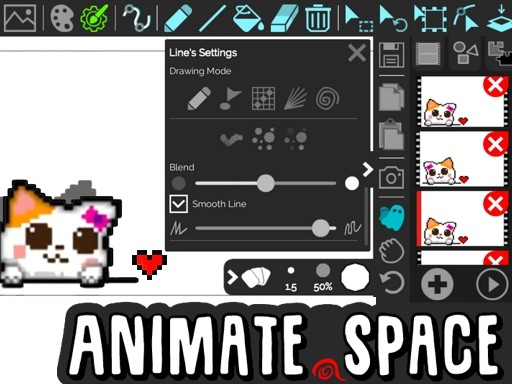
Game Introduction
Animate GIF Creator Online is a creative web-based tool that allows users to produce animated GIFs, cartoons, and flipbooks directly in a browser. It is designed for anyone interested in exploring the art of animation without requiring advanced software. The core objective is to bring ideas to life through frame-by-frame animation. What makes it unique is its accessibility: no sign-up is required, and no watermarks appear on creations. This makes it a safe, family-friendly platform for both children and adults to express creativity. Users can draw each frame manually, copy and paste frames, and use features like autoframe drawing to create smooth transitions. The tool also includes a ghost preview that shows the previous frame as a guide, helping to maintain consistency. Finished animations can be saved as animated GIFs or shared online. The platform is entirely browser-based, so there is no need to download or install any software. This simplicity encourages experimentation and learning, making it suitable for beginners and hobbyists. The tool supports unlimited frames, allowing for longer and more detailed animations. Users can also undo actions freely, which reduces the fear of making mistakes. Overall, Animate GIF Creator Online provides an easy entry point into the world of animation for anyone with a creative idea.
How to Play
To begin, open Animate GIF Creator Online in a web browser. The interface provides a set of drawing tools to create the first frame of an animation. After completing the first frame, users can add new frames to build a sequence. The tool allows copying, pasting, or deleting frames as needed. Within a frame, objects can be selected, moved, rotated, or resized to refine the artwork. For smoother animations, features like autoframe drawing help create transitions between frames, and ghost preview shows the previous frame as a guide. When the animation is complete, it can be saved as an animated GIF or shared online. The process is straightforward and does not require any prior experience with animation software.
Game Features
Animate GIF Creator Online offers several features to support animation projects. These include unlimited frames, a paint bucket tool, an eraser, and both pixel and vector shapes. Users can manage frames with copy, paste, and delete options. The editor provides tools to select, move, rotate, and resize objects, along with unlimited undo actions. Additional features like autoframe drawing, ghost preview, and line control help create smooth, professional-looking animations. The final output can be saved as an animated GIF, and creations can be shared online. There are no watermarks and no sign-up requirements, making the tool accessible to everyone.
Tips for Success
To get the most out of Animate GIF Creator Online, start by planning a simple animation idea. Practice using the drawing tools to become familiar with how they work. Use the ghost preview feature to see the previous frame, which helps in creating smooth motion. Experiment with autoframe drawing to create transitions between frames. Take advantage of the unlimited undo feature to try different effects without fear of making mistakes. Finally, save work regularly and share animations with others to get feedback and inspiration.
Comments
0 comments